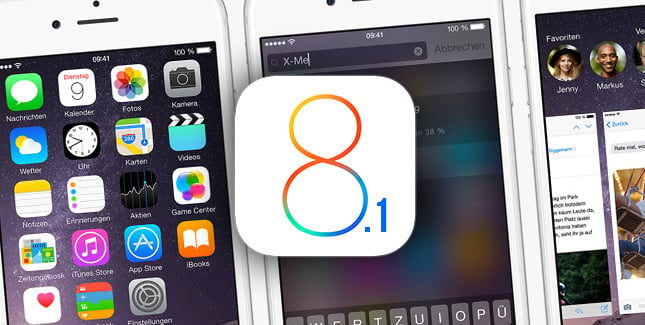
How to recognize any song on your iPhone with Siri


You Can Now Use Siri to Identify and Rate Songs


To identify a track with Siri:
  • Play any song on a device or speakers, if it’s not already playing.
  • Hold the home button on your iOS device to invoke Siri and ask, “What song is playing?”
  • Siri will respond by saying: “Let me listen.”, “Listening” or something similar, and take a few seconds to recognize the track and display the results.
  • You can of course do this by invoking Siri without pressing the home button.

fix wifi problems with ios 8


Disable Wi-Fi Networking Services
Many users have reported that they’ve solved their issues by disabling Wi-Fi Networking under Settings > Privacy > Location Services > System Services. This only relates to your location being used for Wi-Fi Networking, so it doesn’t disable Wi-Fi entirely.

Reset Network Settings
Most networking related issues I’ve experienced have been fixed after resetting network settings. Resetting these settings flushes caches and clears DHCP settings and other networking related info. To reset network settings, open the Settings app and navigate to Settings > General > Reset and tap on Reset Network Settings.

Set Custom DNS
Often times, if your ISPs DNS servers are having problems, you can switch to Google DNS or OpenDNS. You can follow the instructions in the post linked below to change your DNS settings.


Restore and Setup as new iPhone
If none of these tips fix your issues, the last resort is to restore your iPhone or iPad via iTunes, and set it up as a new device. This way, you start afresh, and get rid of possibly problematic customisations and settings on your device. Follow the instructions in the post linked below to do a clean restore to the latest version of iOS via iTunes.

iOS 8 Problems for iPhone 5 and 4S: Tips to Deal


It has been about a month since Apple rolled out its new operating system for iPhones, iPads, and iPods but it seems like many have still not switched over to the newer version for a number of reasons. There were initial reports of many kinds especially the ones that asked for around 5 GB of free storage space on the device before the installation. Although many of the users have got past those troubles, it seems like many still need to look into other issues.
iPhone 4S and iPhone 5 users are facing a majority of issues and that's why the adoption rate is lower than what was initially expected by the company. Most of 4S users said that they had initiated the upgrade process but as it was taking a lot of time, they cancelled it in between. As a matter of fact, problems do not end with successful update. Battery drain, network issues, and inability to answers calls are just few of the problems that new iOS 8 users have reported across the Apple complaint forums all across the world.
So what is the best way to deal with these iOS 8 update issues for iPhone 4S and 5? It is clever to initiate the update during night time by connecting iPhone to iTunes on your computer. This way, only 1 GB of storage space on phone will be enough. Keep the battery charged before the process and expect the update to take at least a couple hours depending on your internet speed. Once it is complete, spend some time exploring the system.
Do not install apps that do not serve any purpose to save battery. Also manage the power by adjusting screen brightness, timeout and 3G network. Although Apple has rolled new updates and bug fixes for most of the problems, Bluetooth seems to be a common problem with almost no solution. That functionality may suffer for a few days but Apple plans to come up with another update in less than two days. Many experts also believe that if you haven't upgraded yet, wait for at least a couple of days for new updates.

tutorial :Jailbreak 8.1


Jailbreak 8.1 iOS for iPhone 6 / 6 Plus + iPhone 5S - iPhone 4S and iPads. Apple seeds iOS 8.1 for all iOS 8 confirmed devices. We understand that new iOS 8.1 without jailbreak is like life without s.x. :)

Pangu jailbreak team confirmed information that new jailbreak 8.1 iOS utility will be released only after official iOS 8.1 release date. If you have iOS 8.1 beta version, you must understand that you can't make jailbreak. Only after iOS 8.1 final download links.


We can find some links named jailbreak 8.1, but you must download such links only on confirmed sites like us, because we always testing all links before releasing. All confirmed jailbreak links you can see here.

How To Jailbreak, iOS Version


Evasi0n Utility is free jailbreak tool for jailbreak iPhone, iPad and iPod Touch. After jb, you can see installed Cydia Store on your iDevice. Evasi0n tool is free utility and works perfect on Windows and Mac OS X. It's free for all, who want make jb on yours gadgets. Pangu Jailbreak Utility is also free jailbreak utility.

What Device and iOS Version Can Evasi0n Jailbreak Be Used With?

          iPhone 6 Plus: not yet 

          iPhone 6: not yet

iPhone 5S:
iOS 7.1.2, iOS 7.1,1, iOS 7.1, iOS 7.0.6, iOS 7.0.5, iOS 7.0.4, iOS 7.0.3, IOS 7.0.2, iOS 7.0.1, IOS 7.0
iPhone 5c:
iOS 7.1.2, iOS 7.1,1, iOS 7.1, iOS 7.0.6, iOS 7.0.5, iOS 7.0.4, iOS 7.0.3, IOS 7.0.2, iOS 7.0.1, IOS 7.0
iPhone 5:
iOS 7.1.2, iOS 7.1,1, iOS 7.1, iOS 7.0.6, iOS 7.0.5, iOS 7.0.4, iOS 7.0.3, IOS 7.0.2, iOS 7.0.1, IOS 7.0, iOS 6.1.2, iOS 6.1, iOS 6.0.1, iOS 6.0
iPhone 4S:
iOS 7.1.2, iOS 7.1,1, iOS 7.1, iOS 7.0.6, iOS 7.0.5, iOS 7.0.4, iOS 7.0.3, IOS 7.0.2, iOS 7.0.1, IOS 7.0, iOS 6.1.2, iOS 6.1.1, iOS 6.1, iOS 6.0.1, iOS 6.0
iPhone 4:
iOS 7.0.6, iOS 7.0.5, iOS 7.0.4, iOS 7.0.3, IOS 7.0.2, iOS 7.0.1, IOS 7.0, iOS 6.1.2, iOS 6.1, iOS 6.0.1, iOS 6.0
iPhone 3GS:
iOS 6.1.2, iOS 6.1, iOS 6.0.1, iOS 6.0
iPhone 3G: Not supported

iPad Air (5):
iOS 7.1.2, iOS 7.1,1, iOS 7.1, iOS 7.0.6, iOS 7.0.5, iOS 7.0.4, iOS 7.0.3, IOS 7.0.2, iOS 7.0.1, IOS 7.0
iPad Mini 2:
iOS 7.1.2, iOS 7.1,1, iOS 7.1, iOS 7.0.6, iOS 7.0.5, iOS 7.0.4, iOS 7.0.3, IOS 7.0.2, iOS 7.0.1, IOS 7.0
iPad Mini:
iOS 7.1.2, iOS 7.1,1, iOS 7.1, iOS 7.0.6, iOS 7.0.5, iOS 7.0.4, iOS 7.0.3, IOS 7.0.2, iOS 7.0.1, IOS 7.0, iOS 6.1.2, iOS 6.1, iOS 6.0.1, iOS 6.0
iPad 4:
iOS 7.1.2, iOS 7.1,1, iOS 7.1, iOS 7.0.6, iOS 7.0.5, iOS 7.0.4, iOS 7.0.3, IOS 7.0.2, iOS 7.0.1, IOS 7.0, iOS 6.1.2, iOS 6.1, iOS 6.0.1, iOS 6.0
iPad 3:
iOS 7.1.2, iOS 7.1,1, iOS 7.1, iOS 7.0.6, iOS 7.0.5, iOS 7.0.4, iOS 7.0.3, IOS 7.0.2, iOS 7.0.1, IOS 7.0, iOS 6.1.2, iOS 6.1, iOS 6.0.1, iOS 6.0
iPad 2:
iOS 7.1.2, iOS 7.1,1, iOS 7.1, iOS 7.0.6, iOS 7.0.5, iOS 7.0.4, iOS 7.0.3, IOS 7.0.2, iOS 7.0.1, IOS 7.0, iOS 6.1.2, iOS 6.1, iOS 6.0.1, iOS 6.0
iPad 1: Not supported

iPod Touch 5G:
iOS 7.1.2, iOS 7.1,1, iOS 7.1, iOS 7.0.6, iOS 7.0.5, iOS 7.0.4, iOS 7.0.3, IOS 7.0.2, iOS 7.0.1, IOS 7.0, iOS 6.1.2, iOS 6.1, iOS 6.0.1, iOS 6.0
iPod Touch 4G: iOS 6.1.2, iOS 6.1, iOS 6.0.1, iOS 6.0
iPod Touch 3G: Not Supported
iPod Touch 2G: Not Supported

This list will be updated as new versions of Evasi0n Jailbreak or Pangu Jailbreak are released.

Evasi0n Download links [Here]
Pangu Download links [Here] 

Download Pangu For iPhone, iPad, IPod Touch


Pangu for iOS 7.1.1 is cross compatible with Windows and even coming soon (Mac OS X and Linux). As Evasi0n Jailbreak Tool will be compatible with all operating systems there is nothing preventing you from using it, besides which firmware versions and devices it will be compatible with iOS 7.1.1.

You can download from here:

Jailbreak iOS 7.1.2, 7.1.1, 7.1 :
Pangu v1.2 - English version:  Mac – Windows

Jailbreak iOS 7.1.2 :
Pangu v1.1 - English version:  Mac – Windows

Jailbreak iOS 7.1.1 - iOS 7.1:

Pangu v1.1 - English version:  Mac – Windows 
Pangu v1.0 - Mac / Windows [ Jailbreak iOS 7.1.1 - iOS 7.1 ]

Links For Jailbreak iPhone, iPod Touch ios 7 ios 8

Evasi0n iOS 7 is cross compatible with Mac OS X, Windows and even Linux. As Evasi0n Jailbreak Tool will be compatible with all operating systems there is nothing preventing you from using it, besides which firmware versions and devices it will be compatible with iOS 7.0.6, 7.0.5, 7.0.4, 7.0.3, 7.0.2, 7.0.1, 7.0.
Status: Evasi0n7 is only one confirmed jailbreak utility for iOS 7.
Authors: Evad3rs – a jailbreak team.
Members of team: pod2g, MuscleNerd, PlanetBeing, and Pimskeks
Name: Evasi0n7
Price: Free

Evasi0n7 1.0.8 - Mac / Windows [ Jailbreak iOS 7.0.6 - iOS 7.0 ]

Evasi0n7 1.0.7 - Mac / Windows [ Jailbreak iOS 7.0.6 ]

Evasi0n7 1.0.6 - Mac / Windows [ Jailbreak iOS 7.0.6 ]

Evasi0n7 1.0.5 - Mac  /  Windows [ Jailbreak iOS 7.0.5, 7.0.4 - 7.0 ]